Configurator
The DCM configurator is a command line tool which helps in initializing the DCM. The configurator is controlled via the arrow keys. Currently it provides two submenus:
- Initial configuration
This menu provides an easy setup guide for the administrator to quickly get the DCM up and running. An example configuration can be seen in the following picture.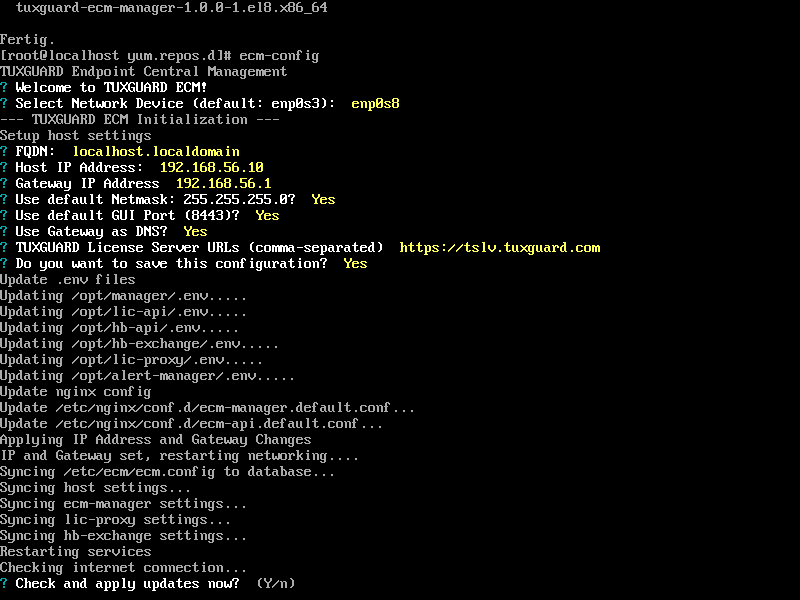 After providing the
network configuration, the configurator tries to update the server, pull the latest
updates for PRO ENDPOINT and resize the partition to use the full partition size.
After providing the
network configuration, the configurator tries to update the server, pull the latest
updates for PRO ENDPOINT and resize the partition to use the full partition size.
Important
Since the current ISO is still based on CentOS 8, updates will fail due to the distribution no longer being supported. Please perform a migration to AlmaLinux after running the configurator and update afterwards.
- Tools
- Change Password
Use this to change the root password. - Update System
This menu entry updates the entire system. - Shutdown
Shutdown immediately. - Restart
Restart immediately.
- Change Password